The Essential Guide to Handling Liquid Damage in your iPhone
Spilling water on your iPhone or accidentally dropping it into the sink is a truly stressful event. It feels like your day has instantly turned upside down. The problem is that many people rely on old or ineffective tricks that just don’t work. Knowing exactly what to do when this happens can make the difference between your phone working again or breaking for good.
Step 1: Power It Off Immediately
The second your phone gets wet, tu... moreThe Essential Guide to Handling Liquid Damage in your iPhone
Spilling water on your iPhone or accidentally dropping it into the sink is a truly stressful event. It feels like your day has instantly turned upside down. The problem is that many people rely on old or ineffective tricks that just don’t work. Knowing exactly what to do when this happens can make the difference between your phone working again or breaking for good.
Step 1: Power It Off Immediately
The second your phone gets wet, turn it off. This is the most important step. If you keep the power on, electricity moves through the wet parts inside. This can quickly lead to short circuits. Do not assume everything is fine just because the screen looks okay. Remove your case immediately and take off any extra accessories. You want to stop moisture from getting trapped.
Step 2: Dry the Exterior Gently
Use a soft, lint-free cloth to wipe away any water you can see. Be very careful and pay attention to the charging port, the speakers, and all the buttons. If you can, pull out your SIM card tray. This lets air get into that slot. Find a dry spot with plenty of fresh air to leave your phone. Using a fan is fine, but stay away from heat. Never use a hairdryer; heat just forces water deeper into the device.
Step 3: Avoid Common Mistakes
Please stop using rice. It is not an effective way to remove internal moisture, and it often leaves dust inside your phone. Also, stop pressing the buttons or shaking the phone. That only pushes water further into the device. Most importantly, do not charge it yet. Charging a wet phone creates damage that you could have easily avoided.
Step 4: Give It Time to Dry
You need to be patient. Let your phone sit for at least 24 to 48 hours. Keep it standing upright. This allows any trapped liquid to drain away from the sensitive internal parts. It might look dry on the outside, but it could still be wet inside.
Step 5: Check for Warning Signs
Once enough time has passed, try turning it on. Watch it closely. Does the audio sound strange? Is the touch screen not working? Is the screen flickering? These issues suggest lingering internal damage.
Step 6: Seek Professional Repair When Needed
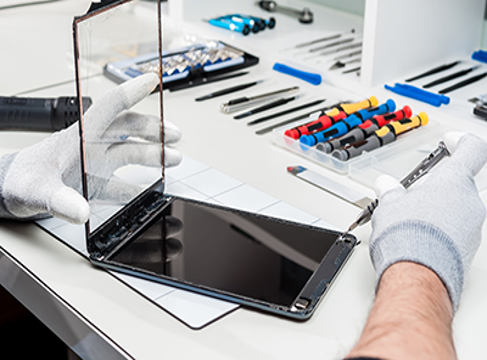
If the phone behaves strangely or won't turn on, you need a technician. A professional can open the device safely to clean out corrosion. For those needing help, an iPhone repair shop in Qatar can run proper diagnostics to solve the issue.
Practical Tips to Reduce Future Risk
Avoid water sources and don’t use your phone with wet hands. A water-resistant case helps. Always back up your data regularly to ensure your photos and files are saved, even if the device fails.
Final Thoughts
Handling liquid damage requires quick action. Taking these right steps prevents minor accidents from becoming major repairs.
To know more https://www.appleservicecenterqatar.com/services/our-services/