
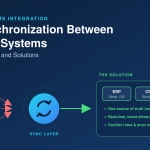


The warehouse shows 42 units of an item in stock. The webshop shows 38. The ERP says 45 and a sales representative quotes a delivery date based on a spreadsheet that was last updated on Tuesday. Nobody is lying, and every system is working as designed. The numbers simply stopped agreeing at some point, and by the time anyone notices, a customer has been promised something the company cannot deliver.
Data synchronisation is the work of keeping the same information consistent across several systems. It sounds like a purely technical matter, yet most synchronisation failures start with unclear decisions about the data itself. This article looks at the problems that appear most often in German SMEs and mid-sized companies, and at the solutions that tend to hold up in practice.
Why Data Drifts Apart
Drift is the normal state of affairs when information is stored in more than one place. A customer moves, and the address is changed in the CRM but not in the invoicing system. A price is updated in the ERP while the webshop continues to display the old one until the next import. Each change is small and reasonable, but the copies diverge, and nothing in the landscape forces them back together.
Systems that were never designed to work together make this worse. Each has its own idea of what a customer, an article or an order is, its own field lengths, its own rules about mandatory values. Moving data between them is therefore translation as much as copying, and translations lose detail. A product with three variants in one system may be a single record with a free-text note in another.
Problem: Nobody Knows Which System Is Right
The most damaging problem is also the least technical. When two systems both accept changes to the same data, and neither is declared the authority, any synchronisation will eventually overwrite someone's correct entry with someone else's outdated one.
The remedy is to decide, for each kind of data, which system is the source of truth. Customer master data might belong to the CRM, article data and prices to the ERP, stock levels to the warehouse system. Other systems receive that data and, where they need to change it, send the change back through a defined route, not by editing their local copy. This is the territory of master data management, and it is worth the effort even without any special software. A one-page table of data types and their owning systems resolves more arguments than most technical measures.
Agree also on what happens in a conflict. If a record was changed in two places between synchronisation runs, the rule might be that the owning system wins, or that the most recent change wins, or that conflicts are flagged for a person to review. Which rule is right depends on the data. For prices, the owning system should win. For free-text notes, flagging may be more appropriate.
Problem: Delays Between Systems
Many synchronisations run on a schedule: every night, every hour, every fifteen minutes. Between runs, the systems disagree, and the length of that gap matters more for some data than others. A customer's phone number can be a day old without consequences. A stock level that is hours old in a busy webshop can lead directly to oversold items.
Solutions range along a spectrum. Batch synchronisation is simple and robust but slow. Near-real-time approaches, where a change in one system triggers an immediate update in another through an API or a message queue, remove most of the delay but are more demanding to build and operate. Many companies use both: real-time for the few data types where timeliness matters, such as stock and order status, and batch for the rest.
Work out how fresh each type of data really needs to be before choosing the technology. Teams often assume that everything needs to be instant, then pay for complexity they do not benefit from. The question to ask the business is simply what goes wrong if this data is an hour out of date.
Problem: Different Formats and Meanings
Even when systems exchange data successfully, the content may not mean the same thing on both sides. Dates in different formats, units of measure that differ (pieces against packs), country codes in different standards, article numbers with and without leading zeros: these are the details that cause records to fail silently or arrive subtly wrong.
The solution is a clear mapping, written down and agreed with the people who use the data. For each field, define the source, the target, any transformation and the handling of missing or invalid values. Include the awkward cases, such as how a product with multiple variants is represented. Keep the mapping as a living document, because systems change and the mapping will need to follow.
Where the same transformation is needed across many connections, an integration layer that handles it centrally avoids repeating the logic in every link. For specific processes where standard connectors cannot express your rules, individuelle Softwareentwicklung can produce a connector that reflects your actual data model, though it becomes something you need to maintain.
Problem: Duplicates and Poor Data Quality
Synchronisation faithfully spreads whatever it is given. If the CRM contains the same customer three times, with slightly different spellings, the ERP will soon contain three customers as well. Reports then double-count, mailings go out repeatedly and nobody is sure which record carries the correct payment terms.
Clean data before connecting systems, and keep it clean afterwards. A one-off cleansing exercise is a sensible start: identify duplicates, standardise formats, fill in mandatory fields. Afterwards, put checks at the entry point, such as validation of postcodes, mandatory fields and duplicate detection when a new record is created. Preventing bad data costs far less than correcting it across five systems.
Matching records between systems requires a stable shared identifier. If the CRM and the ERP each use their own customer numbers, store both in each system so that a record can always be matched reliably, not guessed at from the company name.
Problem: Failures Nobody Notices
A synchronisation that works on the day it goes live may stop months later. A password expires, a field is added in one system, a file arrives in the wrong format, a server restarts and the job does not. If nobody is watching, the systems simply drift apart again, and the problem surfaces through a customer complaint or a month-end reconciliation.
Monitoring is the fix, and it is not optional. Log every transfer with the number of records sent, received and rejected. Set up alerts for failures and for unusual volumes, including zero, since a job that quietly processes nothing is a failure too. Name a person or team responsible for responding. Provide a way to re-run a failed transfer safely, so that retrying does not create duplicates. Build operations so that a message delivered twice has the same effect as one delivered once.
Problem: Changes Break the Connection
Systems are updated, vendors alter their interfaces, and the business adds a new product category or a new field. Each of these can break a synchronisation that has run quietly for years. Close integration between two systems also means that a change in one needs to be coordinated with the other.
Reduce the risk by using documented, versioned interfaces where available, and by keeping a short description of each connection: what it carries, in which direction, how often, who owns it and what depends on it. Test synchronisations whenever either connected system is updated, using a test environment where one exists. Where the connection relies on a vendor's interface, ask how changes are announced and how long older versions remain supported.
Data Protection and Legal Points
Synchronisation moves personal data between systems, so the DSGVO is relevant. You should know which personal data is copied where, for what purpose and for how long, and whether any service provider processes it on your behalf, in which case a data processing agreement is normally required. Deletion requests need to propagate: removing a customer from one system while leaving a copy in three others does not meet the underlying obligation.
Records that fall under commercial and tax retention rules need to remain available and unaltered, so synchronisation processes should not overwrite or delete them. The GoBD principles set expectations for the handling of electronic records, and your tax adviser can confirm what applies to your data. If new connections or tools could monitor employee activity, works council co-determination may be relevant. Involve your data protection officer early, while the design can still be adjusted.
Who Builds and Maintains It
Synchronisation touches business rules, data models and engineering practice, and few SMEs have free capacity in all three areas. Some develop the skills internally, others work with partners for the build. For well-defined projects, Outsourcing Softwareentwicklung can be a workable option, as long as ownership of the code and documentation, handling of credentials and support after delivery are settled in the agreement. The decisions about which system owns which data should stay inside your company.
A Practical First Step
Choose one data type that causes visible trouble, such as customer addresses or stock levels, and trace it through every system that holds a copy. Write down where it is created, where it is changed, how it travels between systems and how long it takes. You will almost certainly find a place where two systems both accept changes, or a transfer that nobody monitors. Fixing that one flow gives you a template for the rest, and a provider of Softwareentwicklung Deutschland services can help turn the findings into a scoped, prioritised plan if you want an outside view.