
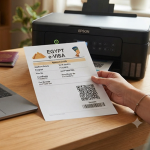


Are you thinking of visiting Egypt? All eligible travelers are required to fill out the Egypt E-Visa Application Form 2026 online before traveling to Egypt. Personal information, passport details, travel plans, contact details, supporting documents are requested.

Fill in every section carefully to help prevent delays.
Who Can Apply for an Egypt E-Visa Online?
Travelers from eligible countries can apply online for tourism.
You should have:
- A valid passport
- Minimum of 6 months in passport.
- Number of blank pages needed in passport to be stamped:
- All passport information is identical to the application.
What Information Is Required on the Egypt E-Visa Form?
You may need to provide:
- Full name
- Email address and phone number
- Date and place of birth.
- The country of citizenship (current or previous).
- Gender - Male, Female and Marital Status - Married/Unmarried.
- Job or profession
- Type and number of passport.
- The date of issuance and expiration of passports.
- Passport issuing country
- Planned arrival and departure dates
- Home address
- History of previous travel (if necessary)
- Familiarize yourself with the host information, if you are to stay with someone in Egypt.
Please review all names, numbers and dates before submitting the form.
How to Apply for an Egypt E-Visa Step by Step?
Follow these steps:
- Select the type of visa.
- Fill in your personal and travel information.
- Add your passport and contact information.
- Upload the requested document.
- Include host information (if necessary).
- Pay the fee online.
- Check and submit the form.
- Watch your email for updates.
Standard processing usually takes 5–7 working days. Faster options may take 3–5 or 2–3 working days, if available.
Can I Correct a Mistake After Submitting the Form?
Review your application thoroughly prior to submission. Once paid and submitted it is not possible to amend or cancel the application.
If the details of your passport are wrong, your e-Visa will be invalid. If you find a mistake, please notify the application support team as soon as possible.
How Can I Check My Egypt E-Visa Application Status?
You can check your application online using the status tracker.
You may need:

- Application ID
- Passport number
- CAPTCHA code
Enter these details and select the status option to see your latest update.
How Do I Download and Print My Approved Egypt E-Visa?
If your application is approved, the e-Visa will be sent to your registered email address.
You should:

- Download the e-Visa
- Print a copy
- Keep it with your passport during your trip
- Show it when requested at the Egyptian entry point
Does evisa-egypt.info Offer 24/7 Egypt E-Visa Application Assistance?
Travelers who need help with the online application can use evisa-egypt.info for support. Help may include:
- Step-by-step help: Learn how to complete the Egypt e-Visa application.
- Form help: Get help entering your personal, passport, and travel details.
- Document help: Learn which documents you need and how to prepare them.
- Payment help: Get guidance during the online payment process.
- Status checks: Get help checking your application status.
- Help for first-time applicants: Make the process easier if you are applying for the first time.
- 24/7 support: Get application help whenever you need it.
- Extra guidance: The government portal provides the official application system, while an assistance service can guide you through the process.
- Information checks: Make sure your personal and passport details are correct before submitting the form.
- Application updates: Get help understanding your application status and what to do next.
An application assistance service can make the process easier, especially for first-time applicants. Always enter correct information and check your form carefully before submitting it.
Conclusion
Getting an Egypt e-Visa is simpler if his or her passport and travel information is ready. Please fill out the application correctly and upload the correct documents, pay the fee and make sure that you have checked your application before submitting it.